

Adobe Launch Extension
Suite
Customer Experience
Product
Qualtrics
What's on this page
About the Adobe Launch Extension
With the Adobe Launch extension, you can quickly create and deploy feedback intercepts across all of your digital properties. The Website Feedback extension from Qualtrics is available on the Adobe Launch Catalog for current Launch users to install and configure. With Adobe Launch, Website Feedback intercepts can be deployed to your site with a click, empowering users in the organization to create and deploy Intercepts through a self-service interface.
Qtip: The Adobe Launch extension allows you to connect with your Website Feedback Projects. The Adobe Launch extension can be used so long as you have a Website / App Feedback license.

Configuring the Website Feedback Extension
To configure the Qualtrics Launch extension, please follow the steps below. Before starting, we recommend that familiarizing yourself with using Adobe Launch Extensions.
Login to Adobe Launch at https://launch.adobe.com.
Browse the Extensions Catalog and search for Qualtrics Website Feedback.
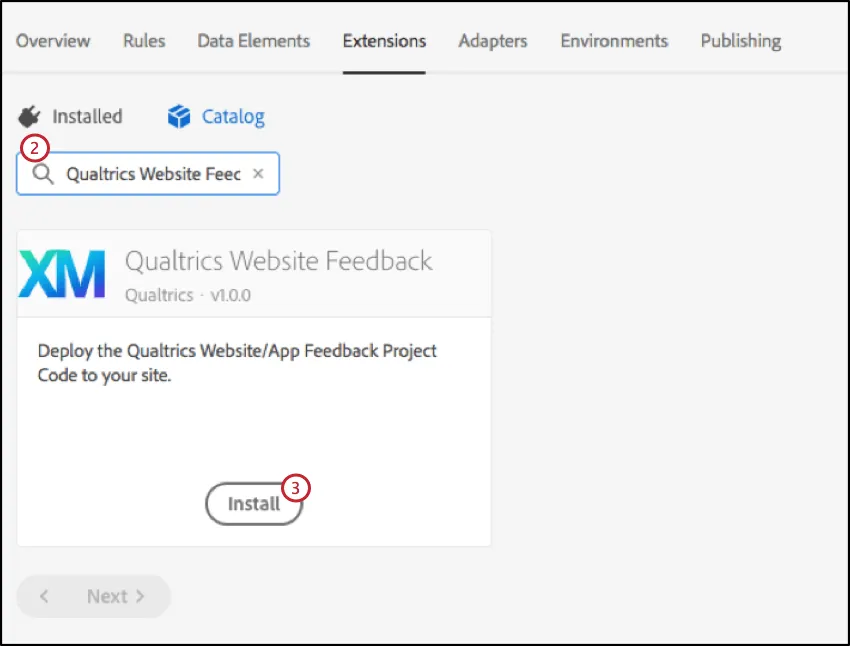
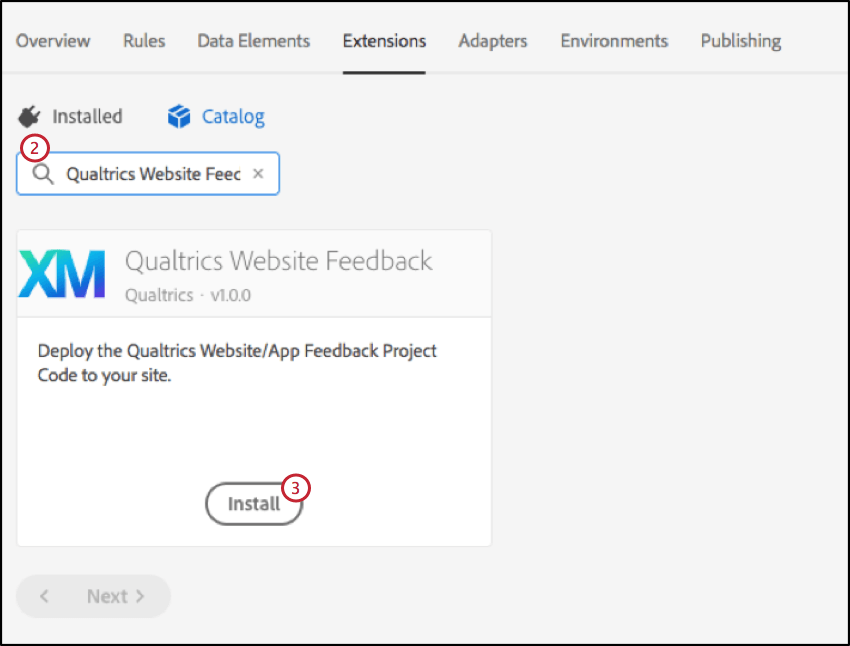
Click Install.
This will bring up the set of steps that you need to follow in order to configure the Qualtrics Website Feedback extension within Adobe Launch. Please read over this information for an overview before continuing.
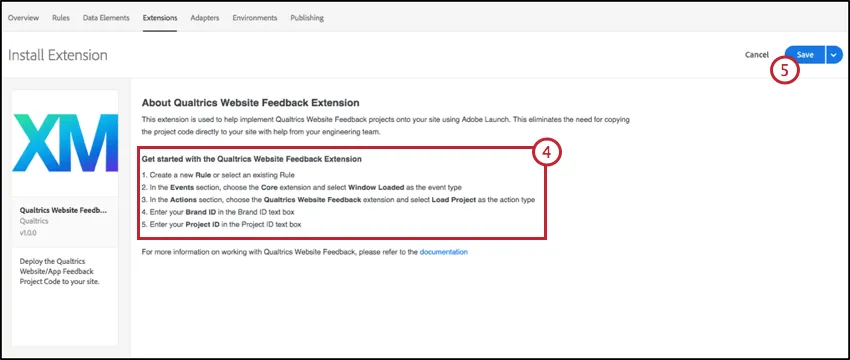
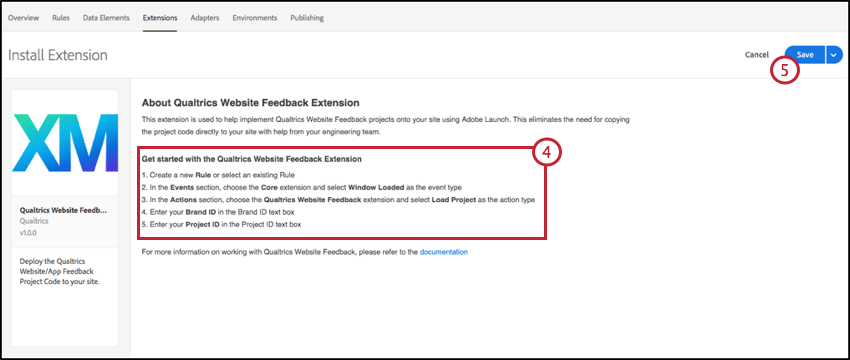
Click Save.
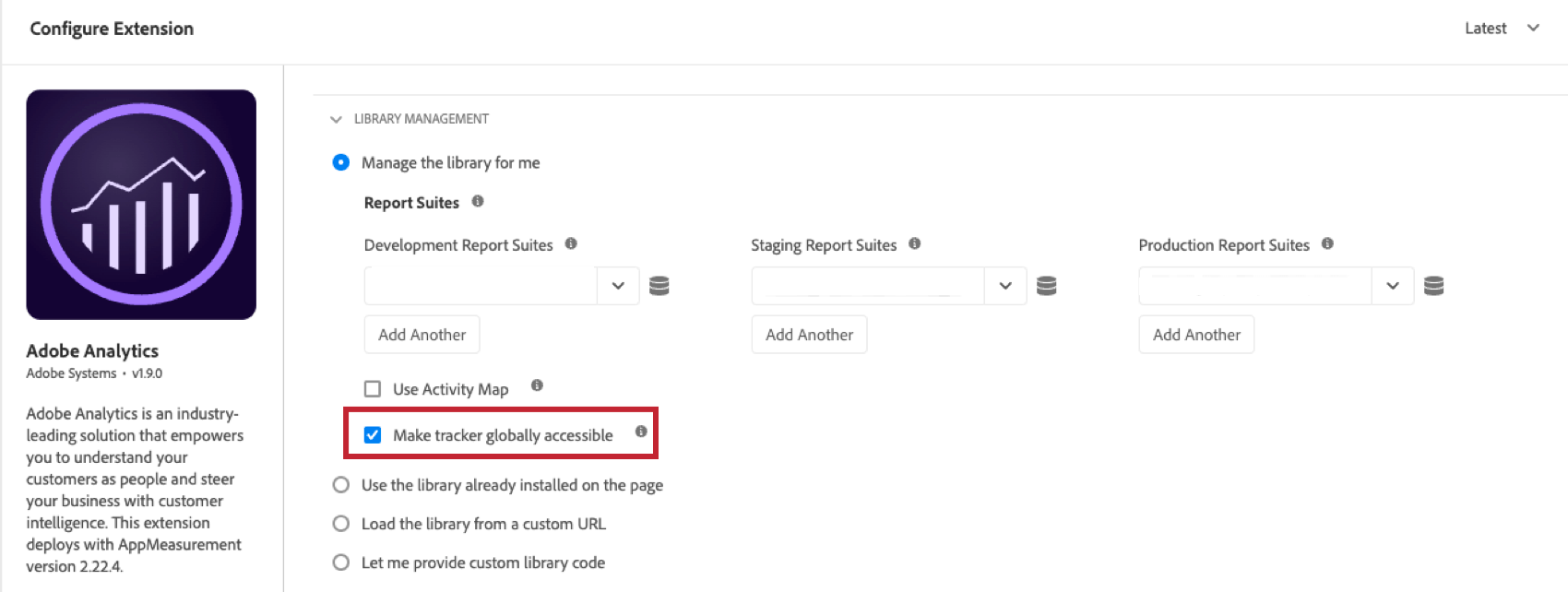
Attention: If Qualtrics is not receiving your data from Adobe, go to the Extensions tab, click Configure on the Adobe Analytics extension, then ensure Make tracker globally accessible is checked.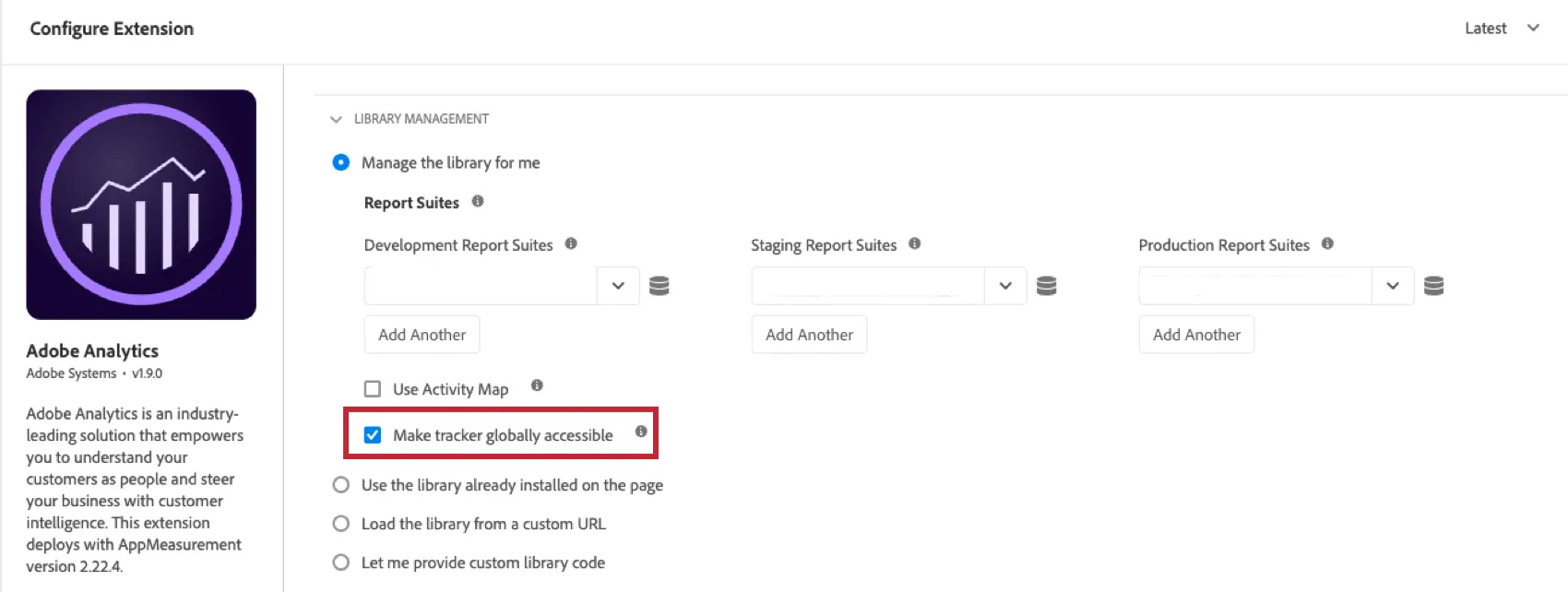

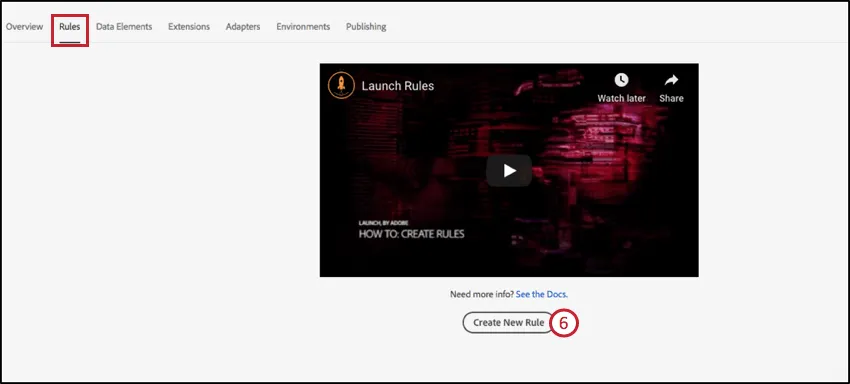
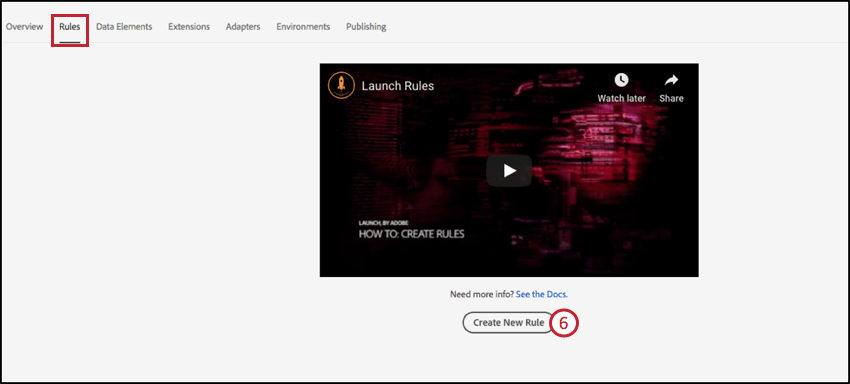
In order to use this extension, you will need to create a new Rule (or edit an existing rule) within Adobe Launch. Click on Rules and then Create New Rule.
Name your rule.
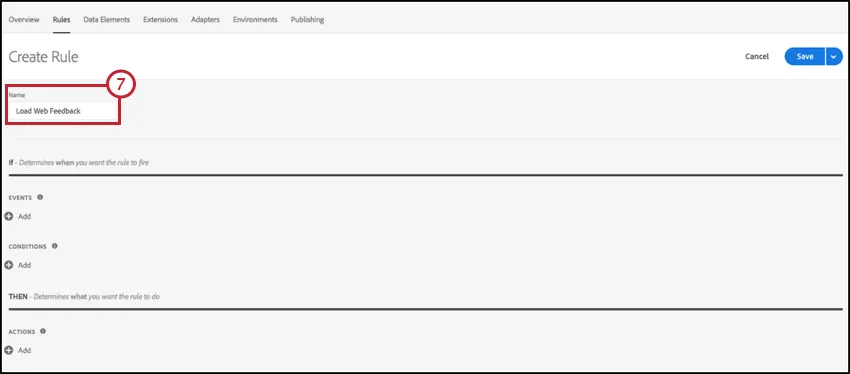
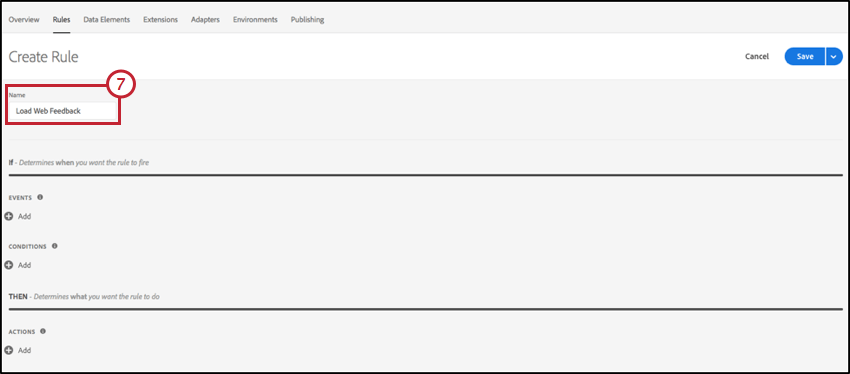
Configure an Event that controls when the Rule is triggered. Choose the default Adobe Core extension and then choose the Window Loaded event type. This means that the extension will only be triggered on the Window Loaded event.
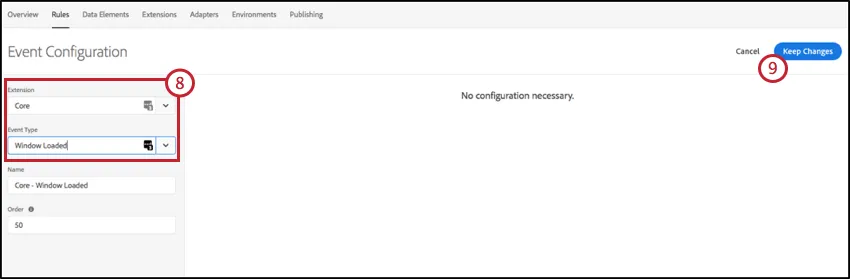
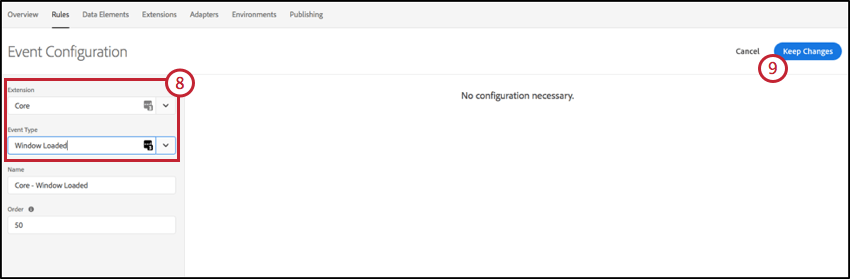
Click Keep Changes.
(Optional) Choose to configure Conditions that will govern the Website Feedback extension. See Adobe Launch documentation on working with Rules, Actions and Conditions.
Configure the Action specific to this extension. Choose Qualtrics Website Feedback from the extension list and Load Project as the Action Type.
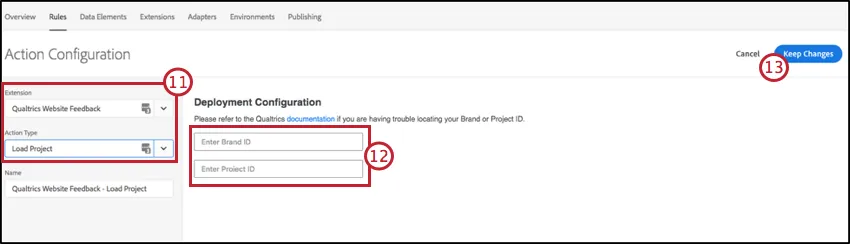
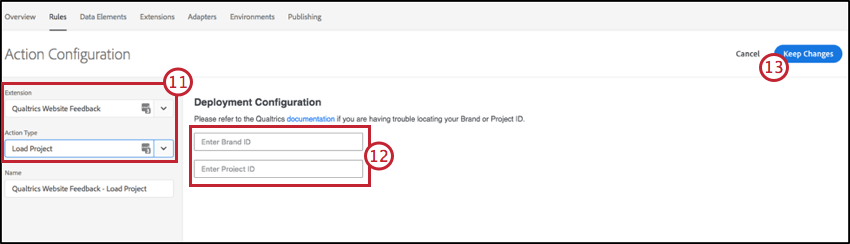
Qtip:: The Load Project action type will ensure that your Website Feedback Project Code is deployed to the website(s) through the Launch extension.
To configure the Load Project action, you will need to locate your Brand ID and Project ID from the Qualtrics portal. See the Finding Project ID’s page for more information on locating these IDs.
Click Keep Changes.
Your Website Feedback Extension is now set up, and you’ve created a Rule to help trigger the Qualtrics Website Feedback Launch Extension. You can now follow your publishing workflow to deploy this rule to your pre-production or production environments via Adobe Launch.
That's great! Thank you for your feedback!
Thank you for your feedback!